LinkedIn After Running a Business: A Veteran's Profile Reset
"Still getting interviews left and right. Now I have to say no."
Taranjeet, E-5, Army, optimized her LinkedIn and resume with BMR
BMR's advice: headline your next job, make the business one entry, and recruiters may see employee, not founder. LinkedIn Help says your headline "can be separate from the title of your current position."
Founder profile vs job-seeker profile: what changes?
| Profile part | Founder version | Job-seeker version (BMR advice) |
|---|---|---|
| Headline | Founder and CEO at [Business Name] | "[Target job title] | [Main skill] | [Branch] veteran" |
| Business entry, title line | Founder and CEO | [Job a company can hire for] and Owner, [Business Name] |
| Business entry, employment type | Left empty | Pick the closest type on your list. The list depends on your profile's country. |
| About | A pitch to buyers of your product | The job you want first. Then what you ran. Then your service. |
| Featured | Sales pages and promos for the business | Work that shows a skill an employer pays for, with client names left out. |
| Open to Work | Off | On, but only after you decide whether clients should know. |
Fill the brackets with your own words. A business owner going back to employment changes these six parts.
What goes in the headline after running a business?
Put the job you want next, not the title you gave yourself. A recruiter searching for an operations manager types those words. They may not search for founder at all.
Keeping the headline different also helps you. LinkedIn Help says: "If your professional headline and current position are the same, your current position won't be displayed in the top section of your profile." A new headline lets both lines show.
Pick the words from real postings for the job you want. For more formats, see these headline examples for veterans.
How do I list the business in Experience?
Keep it as one entry. Do not hide it. LinkedIn's Experience rules say entries "must be accurately labeled and must reflect professional experience with the named organization".
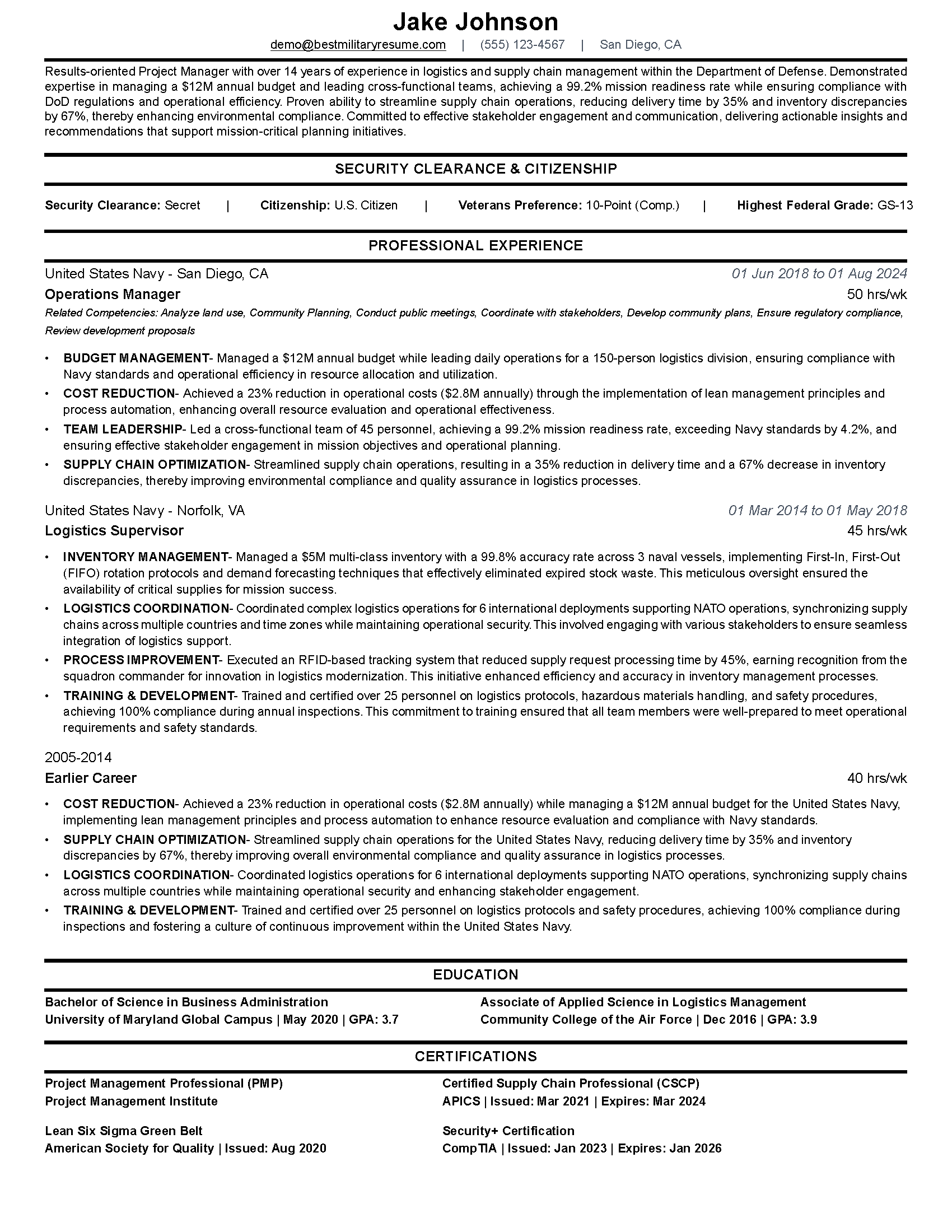
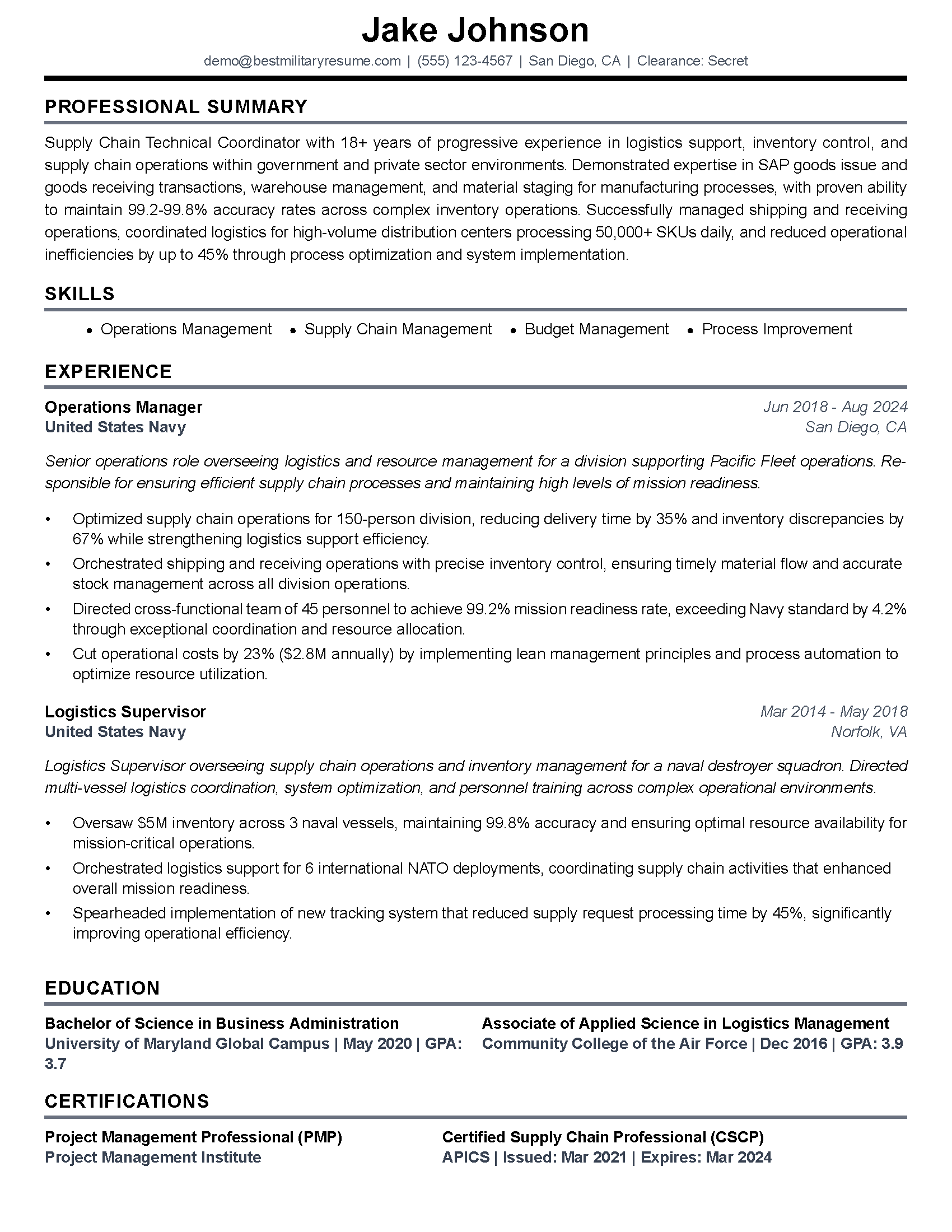
Change the title line instead. Lead with a job a company can hire for, and keep the ownership on the same line. That is the resume version of this title rule, and the profile should match it.
Next, set the employment type. The position grouping page offers a tip: "To show your career progression within a company, make sure to specify the employment type for each position." The choices are not the same everywhere. LinkedIn's country list page ties them to the location on your profile.
Did you close the business? Add an end date. Still running it? Leave it marked current, and read the Open to Work section before you turn anything on. Your service entries sit below this one. Translate them with the military Experience section guide.
What should the About section say now?
Open with the job you want. A founder About section sells the business. Yours now sells you to an employer. Use three short parts, in this order.
- "I am looking for a [target job title] role in [industry]."
- "I ran [Business Name] for [number] years, where I [the main work you did, in plain words]."
- "Before that, I served in the [Branch] as a [job or rating]."
Keep the job title the same on your resume. Recruiters may check one against the other. The profile and resume guide shows how to keep them in step.
What should go in Featured?
LinkedIn's Featured page lists what you can add. You can feature posts, LinkedIn articles, outside links and uploaded media. You must have posted a LinkedIn post or article yourself before you can feature it.
The Featured FAQ adds two rules. You can add as many items as you like, "However, only 400 items will be displayed." With nothing in it, "your Featured section will be hidden from people who view your profile."
BMR's advice: swap sales material for proof of skills. A short write-up of a process you built works. So does a plan you ran or a training you wrote. Leave client names and private numbers out.
Who sees Open to Work if the business is still marked current?
That depends on the setting. LinkedIn's Open to Work page lists three.
- "All LinkedIn Members: This also includes recruiters and people at your current company. It also adds the #OpenToWork photo frame."
- "Recruiters only: People using LinkedIn Recruiter only. To protect your privacy, we take steps to prevent LinkedIn Recruiter users who work at your current company from seeing your shared career interests, but we can't guarantee complete privacy."
- "Visible only to you: Your job preferences are used for LinkedIn to tailor your job recommendation."
LinkedIn says it hides your status using "the current company on your LinkedIn profile marked as I am currently working here". BMR's reading: that shield covers only Recruiter users at the business marked current. Under "All LinkedIn Members", clients and partners can see the frame. Under "Recruiters only", a client's own Recruiter users may still see your interests.
The recruiter side is quieter. Per LinkedIn's Recruiter help page, a recruiters-only candidate "will still appear in an Open to work spotlight search". But "the #OPENTOWORK photo frame won't display."
Settings checked November 2026 on LinkedIn Help.
BMR's advice: decide whether clients should know before you pick a setting. Still serving them? Recruiters only is the quieter choice. Already told them? The frame does no harm. For the rest of the setup, see the Open to Work guide for veterans.
How do I make my resume say the same thing?
Give your resume the profile's new title line. Type it into that role on the Resume Builder, then paste in a job ad you want. BMR edits a second copy and rewrites three parts: summary, job bullets, skills. Once the AI pass ends, a filter drops lines crediting a role with work it lacked. Your saved file stays put.
Frequently Asked Questions
Does a new headline change the Current line on my profile?
What happens to Open to Work once I start the new job?
Can people without a LinkedIn account see my Featured items?
About the author
Brad Tachi is the CEO and founder of Best Military Resume and a 2025 Military Friendly Vetrepreneur of the Year award recipient for overseas excellence. A former U.S. Navy Diver with over 20 years of combined military, private sector, and federal government experience, Brad brings unparalleled expertise to help veterans and military service members successfully transition to rewarding civilian careers. Having personally navigated the military-to-civilian transition, Brad deeply understands the challenges veterans face and specializes in translating military experience into compelling resumes that capture the attention of civilian employers. Through Best Military Resume, Brad has helped thousands of service members land their dream jobs by providing expert resume writing, career coaching, and job search strategies tailored specifically for the veteran community.